
Best Mouse for Wrist Pain & Work From Home UK? Logitech MX Master 3S Review
If your wrist feels tired after long desk hours, your scroll wheel slows down research, or your basic mouse feels noisy and uncomfortable, the Logitech MX Master 3S is built for a smoother UK home-office workflow.
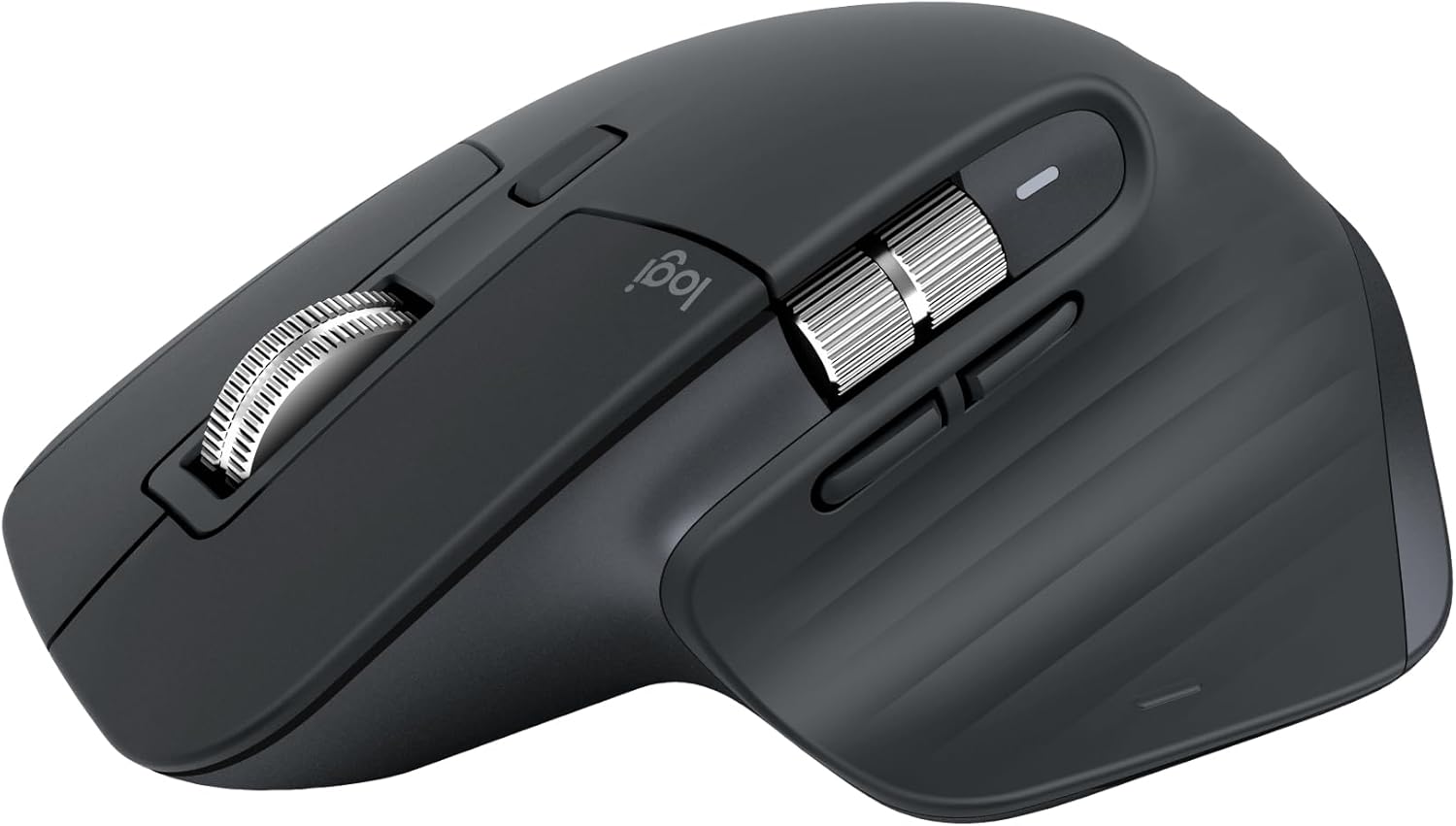
Fliporax Editorial ScoreBest for productivity, quiet office work, design tasks and long desk sessions.
Quick Verdict: Is It Worth It for UK Buyers?
The Logitech MX Master 3S is a premium productivity mouse for people who want more comfort, quieter clicks and faster navigation during everyday computer work. It is especially useful for remote workers, office users, designers, students and anyone using large documents, spreadsheets or multiple devices.
Best for work from home
Great for long desk sessions, daily browsing, emails, documents, spreadsheets and professional multitasking.
Best for quiet productivity
Quiet clicks help reduce desk noise, making it a strong option for shared rooms, home offices and late-night work.
Not the cheapest choice
This is not a budget mouse. It makes the most sense if comfort, scrolling speed and workflow shortcuts matter to you.
Why People Search for a Better Mouse
Most UK buyers are not just looking for a “Logitech mouse”. They are usually trying to fix a real problem: wrist discomfort, slow scrolling, noisy clicking, poor accuracy or a messy multi-device setup. This review focuses on those real buying problems.
Best ergonomic mouse for wrist pain UK
The sculpted shape and thumb rest support a more relaxed hand position than many flat basic mice. It is not medical advice, but it can feel more comfortable for long computer sessions.
Best productivity mouse for work from home UK
Fast scrolling, programmable controls and multi-device switching can save time when working across documents, browsers, spreadsheets and creative tools.
Best mouse for designers UK
The 8K DPI sensor and horizontal thumb wheel are useful for design timelines, editing panels, large canvases and high-resolution screens.
Who Should Consider the Logitech MX Master 3S?
This mouse is best for people who use a computer every day and want more comfort, speed and control than a standard wireless mouse can offer.
Good fit for
- UK remote workers and home-office users
- Designers, video editors and content creators
- Students and researchers reading long pages
- Office workers using Excel, Google Sheets or large documents
- Mac and Windows users who switch between multiple devices
May not be ideal for
- Buyers who only want the cheapest wireless mouse
- Competitive gamers who prefer very lightweight gaming mice
- Users with very small hands who dislike full-size mice
- People who never use advanced scrolling or custom buttons
Watch the Logitech MX Master 3S in Action
This review video helps you see the size, shape, scrolling behaviour and real-world feel before buying.
Key Features That Matter in Daily Use
The MX Master 3S is not just a premium-looking wireless mouse. Its main value is how it improves repetitive computer tasks that professionals do every day.
8,000 DPI tracking for precise control
Useful for large monitors, 4K screens, creative work, spreadsheets and detailed cursor movement. It is especially helpful if a basic mouse feels slow or inaccurate.
MagSpeed scrolling for long pages
The fast scroll wheel helps you move through long Amazon listings, research pages, PDFs, Excel sheets and documents without constant finger effort.
Quiet clicks for shared spaces
If you work beside family, colleagues or housemates, the quieter click feel makes daily work less distracting.
Multi-device workflow
You can connect with more than one device, which is helpful for people using a laptop, desktop, tablet or mixed Mac and Windows setup.
Design and Comfort Details
The MX Master 3S is designed for long productivity sessions, not quick occasional use. The shape, thumb rest and button layout are the main reasons many professionals choose it over a basic mouse.



Logitech MX Master 3S Specs at a Glance
These are the practical specifications UK buyers should check before purchasing.
| Feature | Details | Why it matters |
|---|---|---|
| Sensor | 8,000 DPI optical sensor | Better precision for high-resolution displays, design work and multi-monitor setups. |
| Scrolling | MagSpeed electromagnetic scroll wheel | Useful for long documents, product research, coding pages, spreadsheets and timelines. |
| Click style | Quiet clicks | Better for home offices, shared workspaces and late-night productivity. |
| Connectivity | Bluetooth and Logi Bolt USB receiver support | Flexible for laptop, desktop, Mac, Windows, Linux and ChromeOS workflows. |
| Charging | USB-C rechargeable battery | More convenient than disposable batteries and easy to charge from modern desk setups. |
| Best use | Office, productivity, design, browsing, research, remote work | Made for comfort and work speed rather than competitive gaming. |
MX Master 3S vs Basic Wireless Mouse
A cheap wireless mouse can point and click, but the MX Master 3S is built for people who want to reduce friction during serious daily work.
| Buying problem | Basic wireless mouse | Logitech MX Master 3S |
|---|---|---|
| Long work sessions | Can feel flat or uncomfortable after hours | Sculpted ergonomic shape with thumb support |
| Scrolling long pages | Often slow and repetitive | Fast MagSpeed scrolling for long pages and documents |
| Noise | Clicks can be distracting | Quiet clicks for shared spaces |
| Creative work | Limited shortcuts and precision | High DPI sensor, side wheel and customisable controls |
| Multi-device use | Usually limited | Designed for switching across devices and systems |
Pros and Cons
Pros
- Comfortable ergonomic shape for long working sessions.
- Quiet clicks feel premium and reduce desk noise.
- Excellent scroll wheel for documents and research-heavy work.
- Strong option for Mac, Windows and multi-device setups.
- Good for productivity, design, office work and work from home.
- USB-C rechargeable battery is convenient for daily use.
Cons
- Premium price compared with basic wireless mice.
- Full-size shape may not suit very small hands.
- Not the best choice for competitive gaming.
- Advanced customisation needs Logi Options+ software.
Should You Buy the MX Master 3S from Amazon UK?
Buy it if you want a premium ergonomic mouse for productivity, work from home, design tasks, research, spreadsheets, quiet clicking and multi-device control. It makes the most sense for people who use a mouse for several hours every day.
Skip it if you only need a simple travel mouse, a very lightweight gaming mouse or the cheapest possible Bluetooth mouse.
Helpful Background References
These references are included for readers who want to understand mouse technology and tracking systems in a broader context.
Logitech MX Master 3S FAQ
Is the Logitech MX Master 3S good for wrist pain?
It can feel more comfortable than many basic flat mice because of its sculpted shape and thumb rest. However, wrist pain can have many causes, so this should not be treated as medical advice.
Is the MX Master 3S good for work from home?
Yes. It is a strong option for remote workers who spend long hours browsing, editing documents, managing spreadsheets, designing or switching between multiple devices.
Does Logitech MX Master 3S work with Mac and Windows?
Yes. It supports common desktop operating systems including macOS and Windows, and it is useful for mixed-device workflows.
Is the MX Master 3S better than a cheap wireless mouse?
For basic pointing and clicking, a cheap mouse may be enough. The MX Master 3S is better for comfort, fast scrolling, quiet clicks, precision and productivity shortcuts.
Is the MX Master 3S good for designers?
Yes. Designers may benefit from its precise sensor, horizontal scrolling and customisable buttons. It is useful for design timelines, editing tools and large screens.
Is the MX Master 3S good for Excel and office work?
Yes. The fast scroll wheel, side wheel and programmable buttons can make spreadsheets, large documents and browser-based work easier to manage.
Ready to Upgrade Your Work Setup?
If you want a quieter, more comfortable and more productive mouse for daily office work, the Logitech MX Master 3S is one of the strongest premium options for UK buyers.
Check Price on Amazon UKBest Mouse for Work From Home UK Logitech MX Master 3S ergonomic productivity mouse review.
Amazon UK


