
Thunderobot Zero 18 Pro RTX 5070 Ti Review (USA)
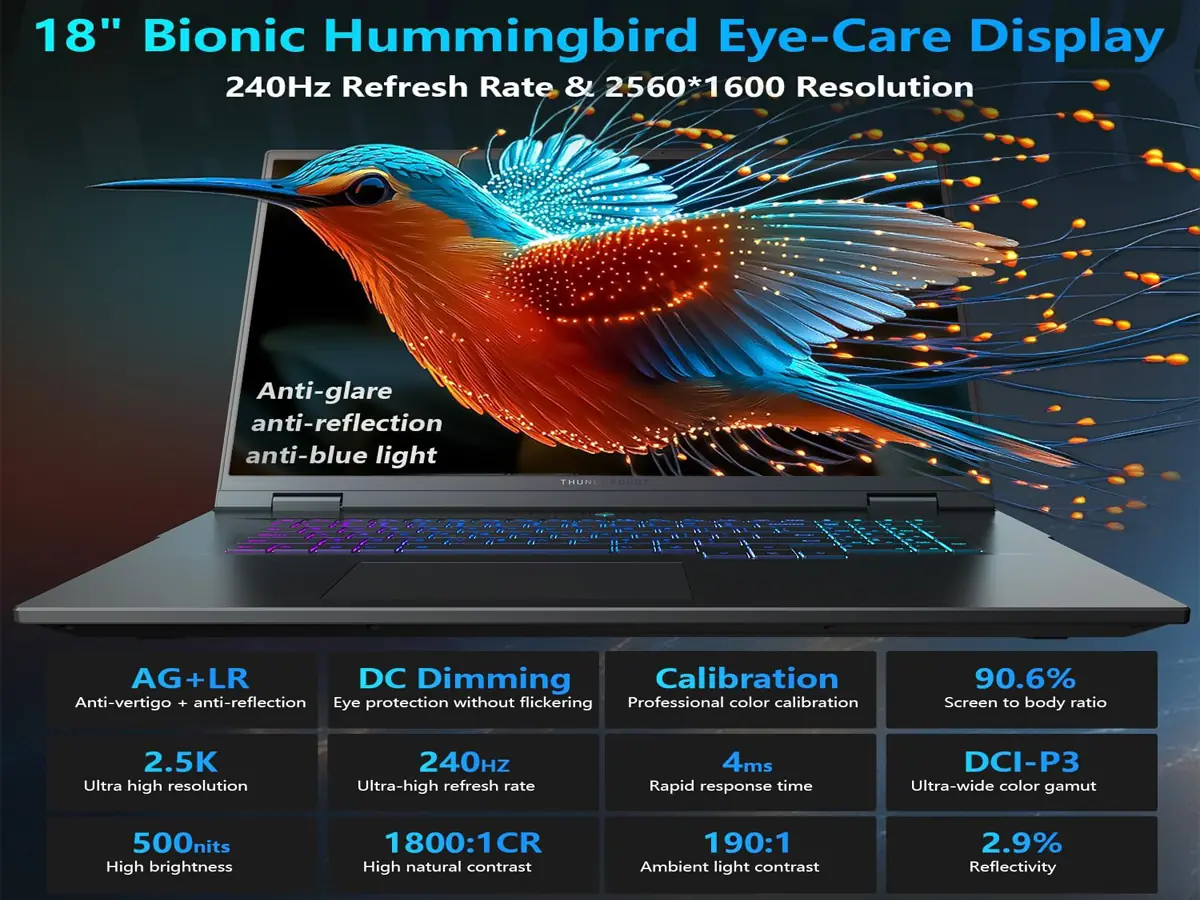
This is a big, powerful gaming laptop for buyers who want desktop-like performance in a portable form. It combines an 18-inch QHD+ 240Hz display, Intel Core Ultra 9 275HX, and RTX 5070 Ti graphics for gaming, streaming, editing, and heavy multitasking.
- Best for: gamers, creators, and users who want a large-screen desktop replacement
- Main strength: strong CPU + GPU balance with a high-refresh 18-inch display
- Main tradeoff: size, weight, and likely fan noise under load
- Overall: a strong option if performance matters more than portability
What’s inside this review
Who should buy this laptop Key specs and hardware Gaming and creator performance What daily use feels like Product video Trust and reference links Pros and cons Things to check before buying FAQ Final verdictWho should buy the Thunderobot Zero 18 Pro?
This is a good fit for
- Gamers who want a big screen and smooth 240Hz motion
- Creators working with video editing, design, or GPU-heavy apps
- Users who want one machine for work and gaming
- People who keep many apps and browser tabs open
This is not ideal for
- Buyers who want a thin and lightweight laptop
- Students or office users with simple needs
- People who are very sensitive to heat and fan noise
- Anyone shopping mainly on budget, not power
Key specs and hardware
Configurations can change between sellers, so always double-check the exact RAM, SSD, and warranty details before you buy.
| GPU | NVIDIA GeForce RTX 5070 Ti |
|---|---|
| CPU | Intel Core Ultra 9 275HX |
| Display | 18-inch QHD+ high-refresh panel, up to 240Hz |
| RAM | Commonly listed with 32GB DDR5 |
| Storage | Commonly listed with 1TB SSD |
| Camera | FHD IR camera |
| Wireless | Wi-Fi 6E |
| Keyboard | Per-key RGB |
| Operating System | Windows 11 Home |
Gaming and creator performance
On paper, this laptop is aimed at buyers who want strong QHD or 1440p-class gaming and enough CPU power for editing, streaming, rendering, and multitasking. The 18-inch high-refresh display also makes it more enjoyable for fast-paced games and long work sessions.
What should feel strong here
- AAA gaming at high settings with modern upscaling where needed
- Better headroom for streaming and background apps
- Smooth timeline work for most editing tasks
- Comfortable multitasking with 32GB RAM
What to keep realistic
- Battery life is usually not the main reason to buy a machine like this
- Full performance often means more heat and fan activity
- Large gaming laptops are better on a desk than on your lap
- Some sellers may offer different RAM and SSD options
What daily use feels like
In real use, this looks like the kind of laptop you open on a desk and keep there for long sessions. The big screen gives you more room for games, timelines, spreadsheets, and side-by-side work. It should feel fast for heavy everyday use, but it is not the kind of machine you buy for light travel convenience.
Product video
A quick product video can help you get a better feel for the design and size.
Trust and reference links
These are simple context links if you want to verify the brand and GPU generation.
Pros and cons
Pros
- Large 18-inch display gives a more immersive experience
- 240Hz panel is attractive for smooth gaming
- Strong CPU and GPU combination for mixed workloads
- 32GB RAM and 1TB SSD are a solid starting point
- Good fit for users who want one machine for gaming and work
Cons
- Not ideal for buyers who need maximum portability
- Fan noise is expected under heavy load
- Battery life may not be a major selling point
- Seller listings may vary, so checking the exact configuration matters
Things to check before buying
Check the product listing carefully
- RAM amount and type
- SSD size
- Seller name and fulfillment details
- Return policy and any restocking conditions
USA buyer checks
- U.S. warranty and service coverage
- Delivery estimate to your location
- Whether the exact model matches the one in the review
- Any recent price changes or bundle differences
Tip: with gaming laptops, two listings can look almost the same but still have different RAM, storage, warranty, or seller support.
FAQ
Is the Thunderobot Zero 18 Pro RTX 5070 Ti good for QHD gaming?
Yes. This type of configuration is built for strong 1440p-class gaming, especially if you value smooth motion and a large display.
Is 32GB RAM enough for gaming and editing?
For most people, yes. It is strong enough for gaming, editing, streaming, and multitasking. Advanced professional workloads may still benefit from more.
Is this a good laptop for travel?
Not really. It is better described as a portable desktop replacement than a travel-friendly laptop.
What should USA buyers confirm before ordering?
Check the exact RAM and SSD, the seller, the return policy, shipping timeline, and whether the laptop includes proper U.S. warranty support.
Final verdict
The Thunderobot Zero 18 Pro RTX 5070 Ti looks like a strong choice for buyers who want a large-screen gaming laptop with serious performance. It makes the most sense for desk-based gaming, editing, and multitasking. If your priority is raw power and screen size, this is the kind of machine worth considering. If your priority is portability, you should probably look at a smaller class instead.


