
Acer Nitro V 15 RTX 4050 Review (i5-13420H, 165Hz): A Smart Budget 1080p Gaming Pick?
If you’re shopping for a budget gaming laptop that can handle modern titles at 1080p with smooth visuals, the Acer Nitro V 15 (ANV15-52-586Z) pairs Intel’s i5-13420H CPU with an NVIDIA GeForce RTX 4050 Laptop GPU and a fast 165Hz display—an appealing combo for students, casual creators, and competitive gamers who care about value.
Quick Summary (Featured Snippet)
The Acer Nitro V 15 (ANV15-52-586Z) is best for gamers who want smooth 1080p performance and a high-refresh 165Hz screen without paying premium-tier prices. The RTX 4050 supports modern NVIDIA features (including DLSS on supported games), while the i5-13420H is a capable 8-core/12-thread mobile chip in Intel’s Raptor Lake-H family.
Acer Nitro V 15 (ANV15-52-586Z) Key Specs
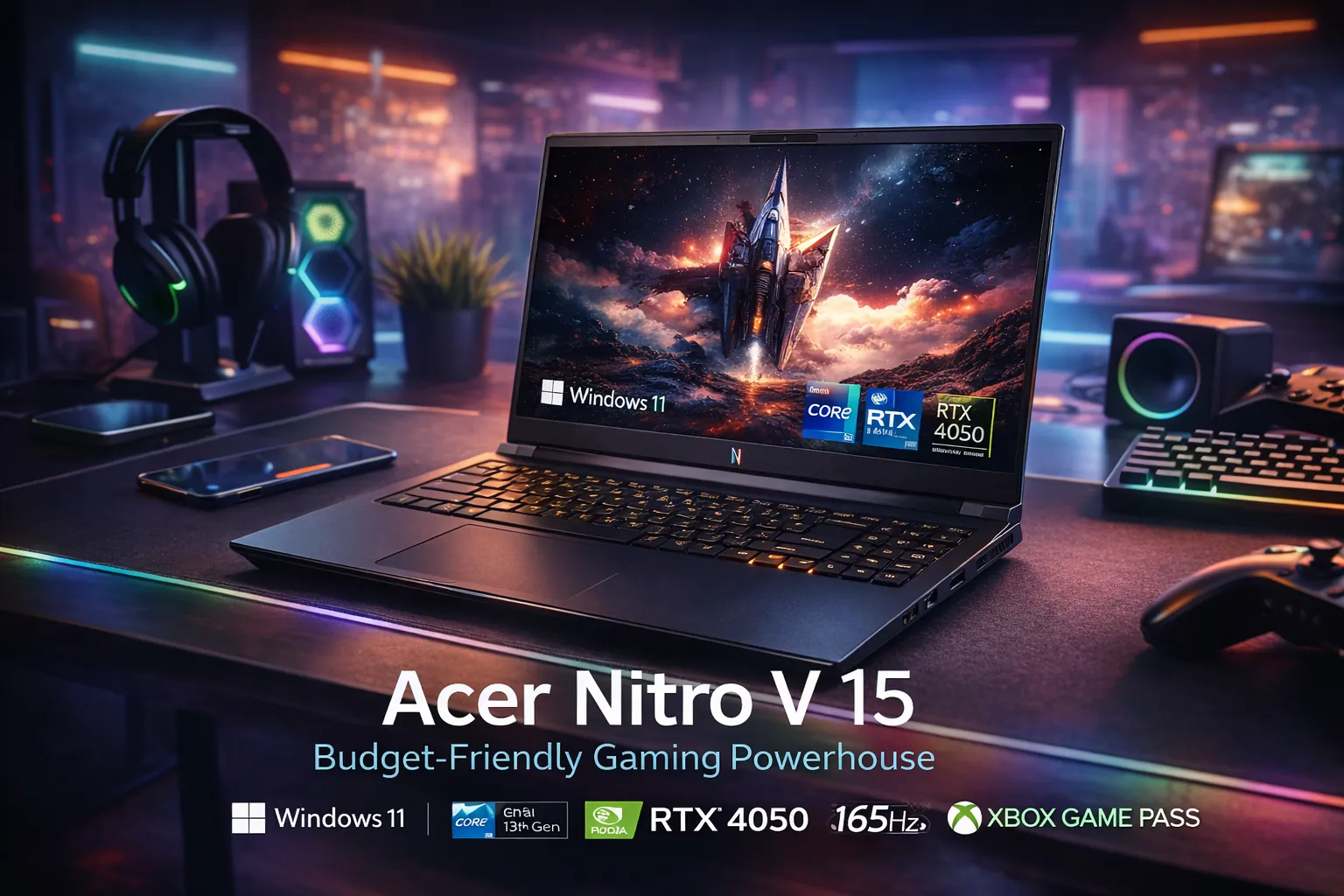
| Model | Acer Nitro V 15 (ANV15-52-586Z) |
|---|---|
| CPU | Intel Core i5-13420H (Raptor Lake-H) |
| GPU | NVIDIA GeForce RTX 4050 Laptop GPU (6GB) |
| Display | 15.6-inch FHD (1920×1080) IPS, 165Hz |
| Memory | 8GB DDR5 (upgrade recommended) |
| Storage | 512GB NVMe SSD (Gen4) |
| Wireless | Wi-Fi 6 + Bluetooth |
Note: Some Nitro V 15 configurations vary by region/seller (panel, RAM, SSD). Always confirm the exact listing before purchase.
Performance Review (Real-World Expectations)
Gaming at 1080p: what you can expect
In the real world, the RTX 4050 Laptop GPU is designed for high-FPS esports and very playable AAA gaming at 1080p—especially when you use in-game upscaling features like DLSS in supported titles. NVIDIA positions RTX 40-series laptop GPUs as a strong fit for both gamers and creators, with AI-assisted features and modern ray-tracing support.
CPU performance: i5-13420H for gaming + productivity
The Intel Core i5-13420H is an 8-core/12-thread Raptor Lake-H mobile CPU, commonly paired with midrange GPUs like the RTX 4050. It’s a strong fit for gaming, streaming, schoolwork, and everyday creation tasks like light video editing or Photoshop work—especially once you upgrade to 16GB+ RAM.
Reference context: Raptor Lake is Intel’s 13th-gen CPU family, with mobile chips (including Raptor Lake-H) used widely in gaming laptops.
Benchmark-style guidance (safe + realistic)
Instead of giving “too-perfect” FPS numbers, here’s a realistic way to think about this laptop: esports titles (Valorant, Fortnite Performance Mode, Rocket League) can often take advantage of the 165Hz display, while AAA games typically run best at a mix of medium/high settings at 1080p, with DLSS (when available) improving smoothness.
Helpful note: If you cite benchmarks, always mention the exact game settings, resolution, and whether DLSS is enabled.
Display & Everyday Experience (165Hz Matters)
Why the 165Hz screen is a big deal
A high-refresh display makes motion feel smoother—especially in competitive games where your eyes track fast movement. On a 15.6-inch 1080p panel, the Nitro V 15 targets that sweet spot for value-focused gaming: sharp enough for normal viewing distances, fast enough to feel responsive.
Color accuracy: who should care
If your priority is color-critical work (print design, professional color grading), you’ll want to double-check panel reviews and consider higher-gamut displays. Budget gaming panels are often tuned for speed and cost—not perfect color accuracy.
Thermals, Fan Noise & Battery Life
Budget gaming laptops usually trade ultra-quiet operation for performance-per-dollar. Expect fans to become noticeable during gaming. Battery life also depends heavily on settings (screen brightness, performance mode, background apps, and whether the dGPU is active).
Upgrades That Make This Laptop Feel “Twice as Fast”
1) Upgrade RAM (high impact)
Many listings come with 8GB DDR5. For modern Windows + gaming, 16GB is a practical baseline, and 32GB helps if you multitask heavily (Chrome tabs + Discord + streaming + editing).
2) Add a second SSD (if you need space)
512GB is okay for a few big games, but modern AAA titles can eat storage quickly. If your Nitro V 15 configuration includes an extra M.2 slot, adding a second NVMe SSD is often the cleanest upgrade path.
Pros & Cons (Google Loves This)
Pros
- Strong value for 1080p gaming with RTX 4050 features (DLSS on supported games).
- Fast, smooth 165Hz IPS display for esports and everyday responsiveness.
- Solid CPU class (i5-13420H) for gaming + school + multitasking.
- Upgrade-friendly: RAM/SSD upgrades can extend lifespan.
Cons
- 8GB RAM configurations can bottleneck performance until upgraded.
- Fan noise under load is normal for this class (not ideal for silent rooms).
- Display may not satisfy color-critical creators (panel quality varies by config).
- Performance can vary by GPU wattage and cooling (always check reviews/specs).
Who Should Buy This (and Who Should Skip It)
This is a great buy if you…
- Want a budget-friendly RTX laptop for 1080p gaming.
- Play esports titles and care about a high refresh rate (165Hz).
- Do school/work and want one machine for everything.
- Are willing to upgrade RAM to 16GB+ for best results.
You should skip this if you…
- Need top-tier creator color accuracy (look for 100% sRGB / higher-gamut panels).
- Need a super-light laptop for daily commuting above all else.
- Want guaranteed “same performance” across all RTX 4050 laptops (power limits differ).
Comparison: Acer Nitro V 15 vs Similar Budget Gaming Laptops
If you’re comparing in the USA market, focus on these decision points (they affect real performance more than marketing terms):
- RAM: 8GB vs 16GB+ (upgrade cost matters).
- GPU power/cooling: RTX 4050 laptops can perform differently depending on wattage and thermal design.
- Display quality: 144Hz vs 165Hz, and color coverage if you create content.
- Storage expansion: extra M.2 slot support.
- Warranty + returns: especially important for budget buys.
Watch the Product Video (In-Page)
Prefer video? Here’s the Nitro V 15 video you provided—embedded to play on this page.
Trusted Technical References
For deeper technical background (CPU generation + GPU family), these two Wikipedia references are helpful:
These explain the broader platform context behind i5-13420H (Raptor Lake-H) and RTX 40-series laptop GPUs.
Final Verdict
If you want a cost-effective RTX 4050 gaming laptop for the USA market, the Acer Nitro V 15 (ANV15-52-586Z) is a smart shortlist option—especially for 1080p gaming and fast-feeling esports play on a 165Hz screen. The biggest “make or break” factor is memory: if the listing is 8GB, plan a RAM upgrade for the best experience.
Tip: For best results, prioritize a 16GB RAM configuration (or upgrade shortly after purchase).
About the Author
FAQ
Is the Acer Nitro V 15 RTX 4050 good for AAA games?
Yes—at 1080p it’s generally aimed at playable AAA performance, especially if you use optimized settings and DLSS in supported titles. Results vary by laptop power limits and cooling.
Is 8GB RAM enough for gaming?
For many modern games and heavy multitasking, 8GB can cause stutters. Upgrading to 16GB is one of the best value improvements for smoother gameplay and daily use.
What does “i5-13420H” mean?
It’s an Intel mobile CPU in the 13th-gen Raptor Lake-H family—built for performance laptops with a balance of gaming and productivity capability.
Does RTX 4050 support ray tracing and DLSS?
RTX 40-series GPUs support modern ray tracing and DLSS features on compatible games, though performance depends on settings and the laptop’s power/cooling design.
Is this laptop good for students?
If you want one machine for school plus gaming, it’s a strong value choice—just plan for a RAM upgrade if your configuration ships with 8GB.


